Back to School Social Media Post: Practical Templates for Real Campaigns
If you have ever scrambled to create a social media graphic at the last minute, you already know the feeling. The cursor blinks on a blank canvas, the clock is ticking, and you need something that looks polished, on-brand, and ready to post. That is where a dedicated back to school social media post template set can change your workflow entirely. These aren't just decorative files. They are structured design systems built for people who need to produce consistent visuals without starting from scratch every time.
What a Back to School Social Media Post Actually Includes
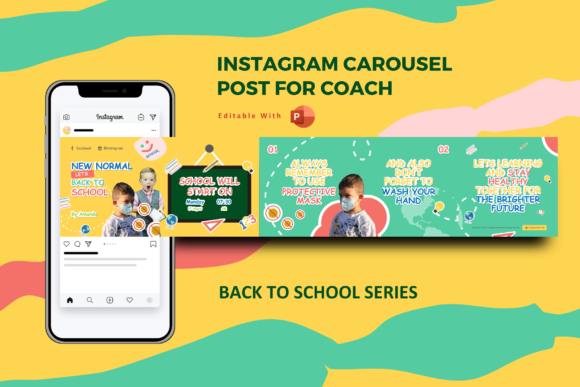
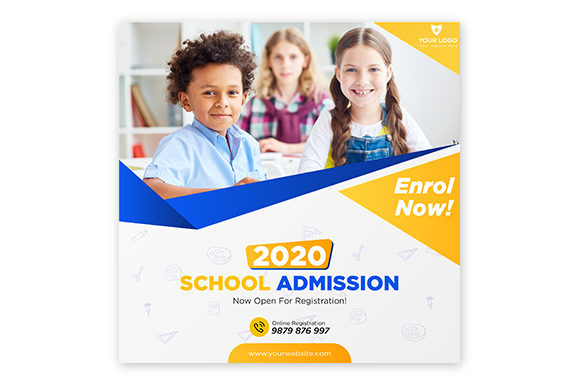
A typical back to school social media post bundle comes as a layered PSD file, an EPS file, and a preview JPG. The key feature is smart object replacement. Instead of manually cutting and positioning every image, you double-click a smart object layer, drop your photo in, and the template adjusts. The layers are organised, so you can turn on or off elements like text blocks, decorative shapes, or background accents. All text is editable with the text tool, and the templates use free fonts, so you do not need to purchase expensive typefaces just to make the design work.
The canvas size is 2000 by 2000 pixels, which fits Instagram square posts, Facebook feed images, and LinkedIn updates. It also works well for story dimensions if you crop slightly or use the square as a base for animated story cards. Because the files are vector based in the EPS format, scaling them for print is straightforward. You can use the same design for a small social post and a classroom poster without losing quality.
Where People Actually Use These Templates
The obvious setting is a school or educational institution. But the real range of use cases goes much further. Think about a small business owner who runs a local stationery shop. In August and September, they want to promote back to school bundles, discounted notebooks, and pencil cases. Instead of hiring a designer for every promotion, they open a template, swap the product photo into the smart object, update the text to say "20% off all backpacks this week," and post it. That is a five-minute task that looks like a professionally designed campaign.
Freelance educators and tutors also rely on these templates. A math tutor who offers online sessions can create a series of posts that say "Back to school prep classes now open for grades 5 through 8." Each post keeps the same visual identity because the template provides a consistent layout. The tutor just changes the class details, the day, and the registration link. Over time, followers recognise the style, and the brand builds naturally.
Marketing teams at mid-size companies sometimes use these templates for internal campaigns. For example, a company that runs a back to school charity drive can create posts asking employees to donate supplies. The template keeps the messaging clear, and because everything is editable, the team can localise the text for different office locations.
Creators and Bloggers in the Education Niche
Bloggers who write about parenting, homework tips, or classroom organisation use back to school social media posts to promote their content. When a new article goes live, the blogger creates a graphic with the article title, a compelling image, and a short caption. The template ensures the graphic matches the overall blog aesthetic. For a parenting blogger with a soft pastel brand, the template can be adjusted with brand colours and fonts. The result is a cohesive feed that attracts sponsors and keeps readers engaged.
Streamers and educational content creators on platforms like YouTube or Twitch also benefit. A streamer who creates study-with-me videos or live homework help sessions can use the template to announce upcoming streams. The 2000 by 2000 pixel size works as a thumbnail base for social media teasers. They add a photo of themselves studying, include the stream time, and post it to their community. It bridges the gap between casual streaming and organised promotion.
Why the Smart Object Feature Matters in Real Scenarios
Smart object replacement sounds like technical jargon until you have to swap images across five different posts. Imagine you run a small clothing brand that sells back to school fashion for teens. You have a photoshoot with five different outfits. You want each outfit to appear in a separate social post, but you want the text overlay and the decorative elements to stay identical. With a smart object template, you open the PSD file, double-click the smart object layer, paste the new outfit image, save, and the master file updates automatically. You repeat that four more times. In less than half an hour, you have five ready-to-post graphics that all look like part of one campaign.
Without smart objects, you would either be cutting out images manually or adjusting layer masks each time. That takes longer and introduces inconsistencies. For a busy marketer or a solo entrepreneur, those minutes add up quickly over a week of posting.
What to Consider Before You Download or Buy
Not every template fits every brand. Look at the layout structure before committing. Some templates lean heavily on school imagery like chalkboards, apples, or stacked books. That works well if your content is directly about classrooms. But if you run a digital marketing agency that just happens to be running a back to school promotion for a client, you might prefer a more minimal template with subtle school elements such as lined paper backgrounds or simple geometric shapes. The best template sets offer variety within the same file, perhaps three or four different colour variations or layout options.
Check the font licensing. The description says free fonts are used, but double-check that the specific fonts included are free for commercial use. Most designers choose fonts like Montserrat, Open Sans, or Lato, which are open source. But if the template uses a font that requires a paid license for commercial work, you will need to purchase it or substitute a similar free font. Always read the font folder or the included documentation.
Layer organisation matters more than you might think. A well organised PSD file has groups named things like "Background," "Text," "Decorative Elements," and "Image Placeholder." That makes it easy to find what you need without hunting through a hundred unnamed layers. If you are new to Photoshop or Illustrator, look for templates that mention organised layers in the description. It is a sign that the designer considered usability, not just aesthetics.
Who Benefits Most from These Templates
Busy parents who run small home businesses often fall into the category of people who need templates the most. They might sell handmade lunchboxes or customised school supplies. Between packing orders and managing children, they do not have time to learn advanced design software. A template with smart object replacement and editable text lets them create professional graphics on a laptop during nap time.
Nonprofit organisations running back to school supply drives also find these useful. They can create a series of posts that show the goal, the items needed, and the drop-off locations. Because the template is editable, they can update the donation goal each week. The consistent look helps the campaign stay recognisable across different social platforms.
Hobbyists who run niche accounts about bullet journaling for students or DIY locker organisation use templates to grow their audience. They are not selling anything directly, but they want their content to look curated. A template gives them a head start on design so they can focus on writing helpful captions and engaging with followers.
Practical Examples of Template Customisation
Let us walk through a realistic scenario. A freelance graphic designer named Ana wants to promote her back to school design services on Instagram. She downloads a back to school social media post template set. She opens the PSD file and sees three layout variants. She picks the one with a large image area on the left and text on the right. She puts a photo of her own workspace into the smart object. She changes the headline to "Design Your School Brand in One Day." She updates the subtitle to include her turnaround time and a call to action. She saves the file as a JPG and schedules it in her social media tool. The whole process takes twelve minutes.
Compare that to opening Canva, choosing a blank canvas, finding elements, arranging them, matching colours, and exporting. Canva is fast for many things, but when you need a highly specific, layered design that matches a professional brand, a dedicated PSD template often gives you more control without extra effort. Plus, you can reuse the same template next month with a new photo and new text for a different promotion.
What You Actually Get in the File Package
The standard deliverable includes a PSD file, an EPS file, and a preview JPG. The PSD file is for Photoshop users who want full layer control. The EPS file works in Illustrator or other vector editing software, giving you the ability to resize the design for print without pixelation. The preview JPG is just a reference so you can see the original layout before you start editing. Some designers include a help file or a short video link, but not always. The note in the description says the image is not included, meaning the stock photo shown in the preview is not part of the download. You supply your own images. That is standard practice because including licensed stock photos would increase the price significantly.
If you are buying these templates, check the file format compatibility with your software version. Older versions of Photoshop may not open PSD files created in newer releases. Most designers save with maximum compatibility, but it is worth confirming if you work on legacy software.
Connecting Features to Real Outcomes
Editable text means you can localise the language. A school district in Texas needs English and Spanish versions of their back to school announcement. One template, two text changes, two posts. The organised layers mean you can delete or hide elements that do not fit your brand without breaking the design. The free font requirement means you do not have an unexpected licensing fee after you have already purchased the template.
The 2000 pixel resolution gives you flexibility. You can create a 2000 by 2000 square post for Instagram, or you can crop it to 1080 by 1920 for Instagram Stories. You can also print the design as a small poster or flyer at 300 DPI and it will still be sharp. For someone who juggles both digital and print promotions, that versatility removes the need to buy separate templates for each format.
Long Term Value of a Template Set
A single back to school social media post template can be used for an entire season and then repurposed next year with minor updates. The design trends in education marketing shift slowly. A clean, typography focused layout with room for a photo stays relevant across multiple years. The smart object layer lets you drop in new photos each year. The text fields let you update the year, the event date, or the promotional offer. You are not buying a disposable graphic. You are buying a reusable system.
For small business owners, that kind of efficiency directly affects the bottom line. Less time spent on design means more time spent on customer service, product development, or strategy. For content creators, it means consistent branding without hiring a designer for every post.
When you choose a template, consider your typical posting frequency. If you post daily, having a set with multiple layout variations keeps your feed from looking repetitive. You can alternate between a photo heavy layout and a text heavy layout while maintaining the same background colours and typography. That balance keeps the audience engaged while reinforcing brand recognition.
Back to school social media post templates are not just about saving time. They are about delivering reliable, professional visuals in a world where attention spans are short and first impressions matter. Whether you are a teacher announcing a welcome back event, a shop owner promoting a sale, or a blogger sharing study tips, a well designed template lets you focus on your message instead of wrestling with software. The result is content that looks intentional, feels consistent, and performs better across platforms.